What is HTML
You have been using websites your whole life.
Google. YouTube. Wikipedia. Instagram. You open them every single day without thinking twice about how they actually work.
But have you ever stopped and wondered what is actually happening behind the screen? How does the browser know where to put the title? How does it know that one thing is a heading and another is just a paragraph? How does it know an image goes on the right and text goes on the left?
That is exactly what this lesson is about.
And by the end of it you will never look at a webpage the same way again.
A Webpage Has Three Layers
Think about building a house.
First you lay the foundation and put up the walls. The bare structure. Without this nothing else can exist. You cannot paint a wall that does not exist.
Then once the structure is there you paint it, add furniture, choose the colors. Make it feel like a home.
And finally you add the things that actually do something. Light switches. A doorbell. A lock on the front door.
Webpages work exactly the same way.
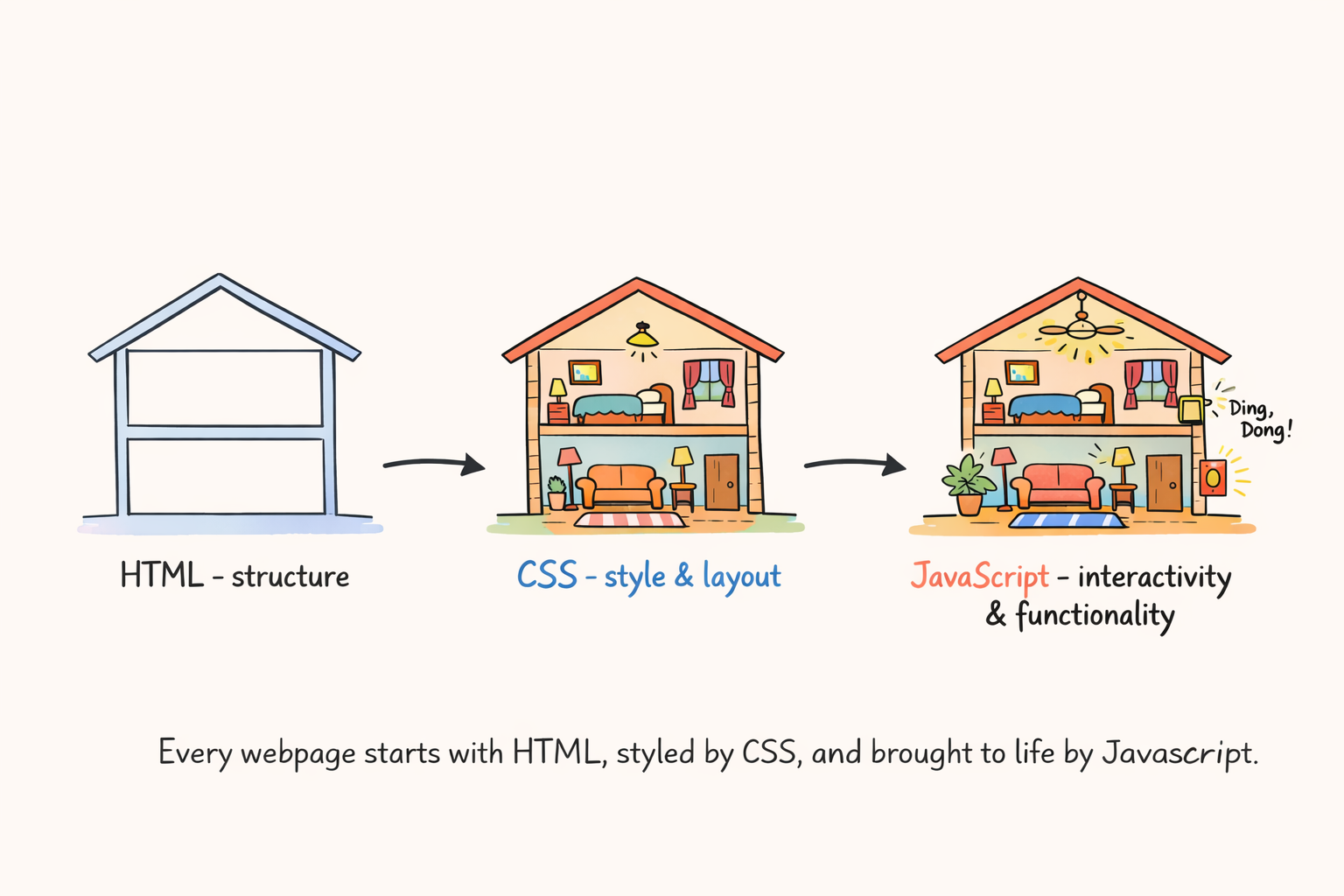
HTML is the structure. The walls and the floors. It tells the browser what everything on the page is. This is a heading. This is a paragraph. This is an image. Without HTML there is nothing.
CSS is the paint and furniture. It controls how everything looks. Colors, font sizes, spacing, layout. HTML says this is a heading. CSS decides how big it is, what color it is, where it sits on the screen.
JavaScript is the light switches. It makes things interactive. When you click a button and something happens, when dark mode turns on instantly, when search results appear as you type. That is JavaScript.
Every website you have ever used has all three working together. And they always start with the same thing.
HTML.
So What Actually is HTML
HTML stands for HyperText Markup Language.
Do not let that name put you off. It is simpler than it sounds.
Think of HTML as a labeling system. You write some content and you wrap a label around it that tells the browser what that content is. Those labels are called tags.
If something is a heading you wrap it in a heading tag. If something is a paragraph you wrap it in a paragraph tag. The browser reads those labels and knows exactly what to do with everything.
Without tags the browser just sees a wall of plain text. No structure. No headings. No organization. Everything runs together in one messy block.
With tags everything falls into place.
Tags are the core idea behind HTML. Everything else you learn builds on top of this one concept. Learn more about tags →
See it For Yourself
Here is what a webpage looks like without any HTML tags. Just raw text, nothing else:
Everything is squished together. No structure. No breathing room. It looks nothing like a real webpage.
Now add two tags and watch what happens:
Nadia
Nadia is a software engineer and educator from New York.
She has been building websites for over ten years.
That right there is HTML. Two tags. And suddenly the page has structure.
That is the power of HTML. And you just wrote your first line of it.
Why HTML Always Comes First
You cannot style something with CSS until HTML has defined what it is. You cannot make something interactive with JavaScript until HTML has put it on the page.
Everything starts with HTML. Always.
That is why it is the foundation. Not because it is the flashiest part. But because without it nothing else works.
What You Are Going to Build
Now you know what HTML is. Here is what you are going to build with it.
With each HTML concept you will build a part of Nadia's Wikipedia page. Don't worry, I will guide you on every step.
In the next lesson you will learn how to set up HTML.
Have anything to say about this lesson?
Your feedback helps improve these tutorials. If something was confusing or missing, let us know.